Turn on MapShare
In your Garmin account (https://explore.garmin.com), enable MapShare for your inReach. Your MapShare ID is the short code at the end of your public link.

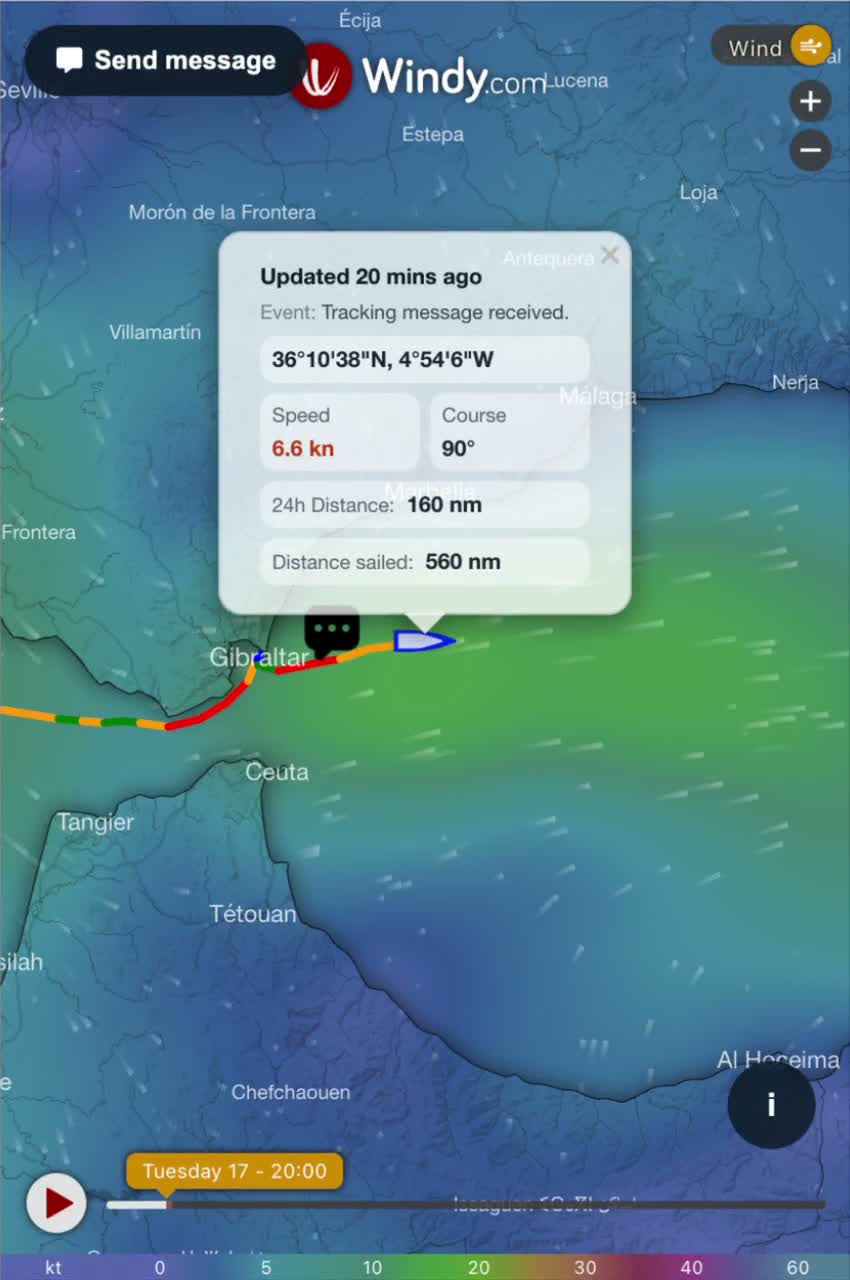
A free tracking page for your inReach, built for sailing: your passage track, the wind forecast along your route, and family ashore can message the boat.
Free forever · Nothing to install · Ready in a few minutes
Three steps, a few minutes.
In your Garmin account (https://explore.garmin.com), enable MapShare for your inReach. Your MapShare ID is the short code at the end of your public link.
Enter your MapShare ID and email, then send the code we give you from your inReach (or Garmin Messenger) to the MapShare contact. It proves the device is yours — nobody else can claim your boat.
Send your link to family, friends or the boat owner before you cast off. They follow the passage live, with no account and nothing to install.
Built by a yacht delivery skipper, for crews and the people waiting ashore.
Family and friends write to the boat straight from the tracking page, and it lands on your inReach. You decide whether it’s on or off.
Animated wind and gusts around the boat, in knots, with a timeline to see what’s coming.
Every position kept, colored by speed in knots, with miles sailed in the last 24h and since departure.
After a long stopover, the passage is archived and a new one starts. Rename it, show it on the map or export it to GPX.
Show your boat’s name on the tracking page instead of a Garmin code.
The same address for the whole trip — and the next ones. Works on phone and computer.
Both are free. The account unlocks everything that needs your track to be stored.
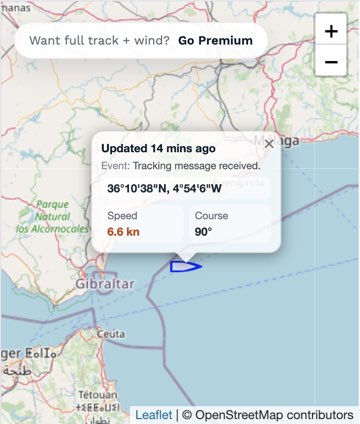
Live position only
Full track, wind and messaging
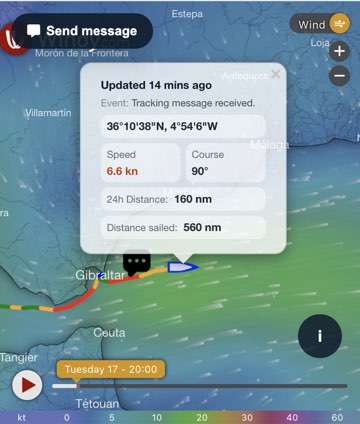
Open a live tracking page, exactly as your family would see it.
Sign in at https://explore.garmin.com, open the MapShare tab and enable it. Your public link looks like https://share.garmin.com/6RX3P — the ID is the code at the end (here, 6RX3P).
Yes — an active inReach plan with MapShare enabled. reChain Tracking reads your public MapShare feed; how often new positions appear depends on your inReach tracking interval.
Following your track doesn’t. The only message you send is the one-off verification code. Messages visitors send you from the tracking page count like any other inReach message on your Garmin plan.
It proves you own the device, so nobody else can create an account on your MapShare, change its settings or message you through it.
Anyone with your tracking link — just like your Garmin MapShare page. Without an account, we only show the live position and store nothing.
Yes. Enter its MapShare ID at the top of this page to see its live position. The full track appears if the owner has a free account.
Yes, there’s no paid plan. reChain Tracking is built by JCskipper, a yacht delivery skipper, alongside reChain, the satellite assistant for Garmin inReach.
Yes. Link as many MapShare IDs as you like to the same account, from your member area.
Create your free account in a few minutes and share your link before you leave.